Survey templates
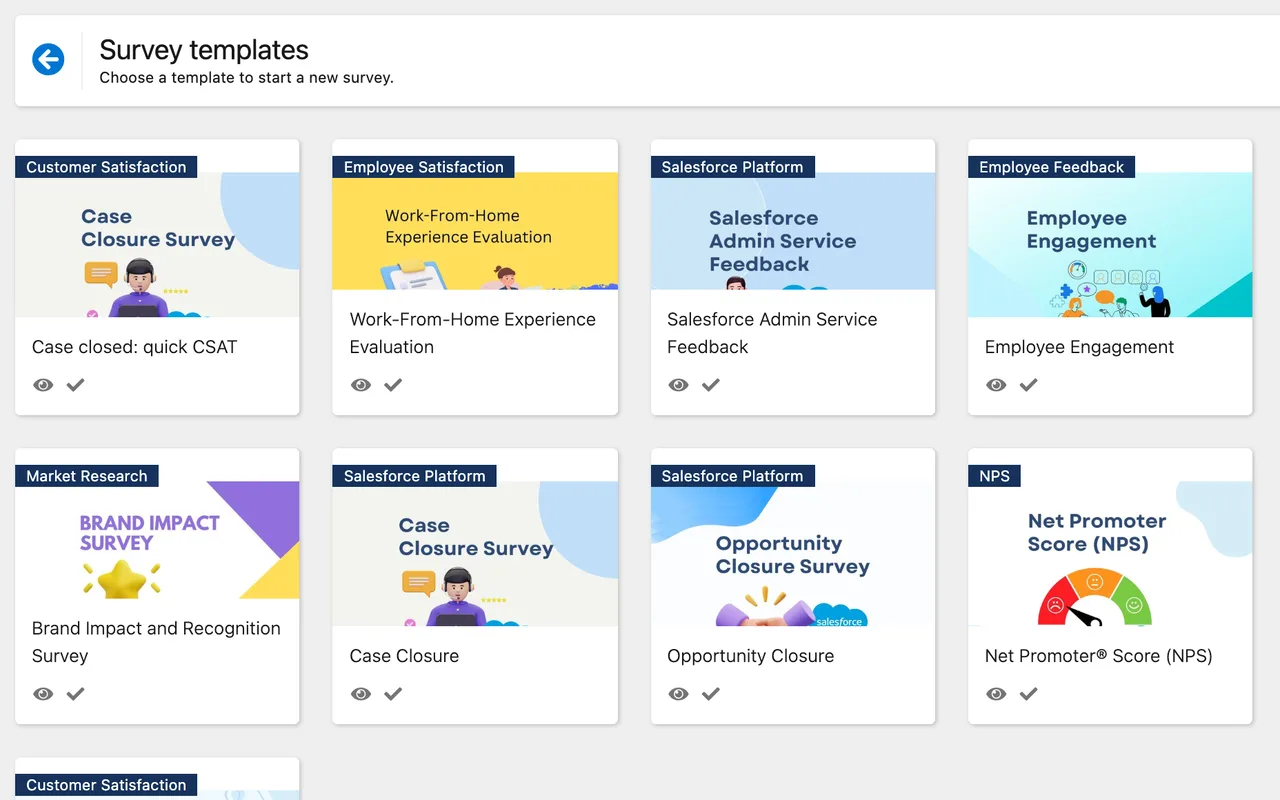
Start from ready-made templates, including Case closed: quick CSAT (a five-star rating and a comment), or save your own.

Create surveys in Salesforce, send personal invitations from a Flow, and use the answers in customer records and reports. InPoll is free; Salesforce licensing, permissions and platform limits still apply.
Start from ready-made templates, including Case closed: quick CSAT (a five-star rating and a comment), or save your own.
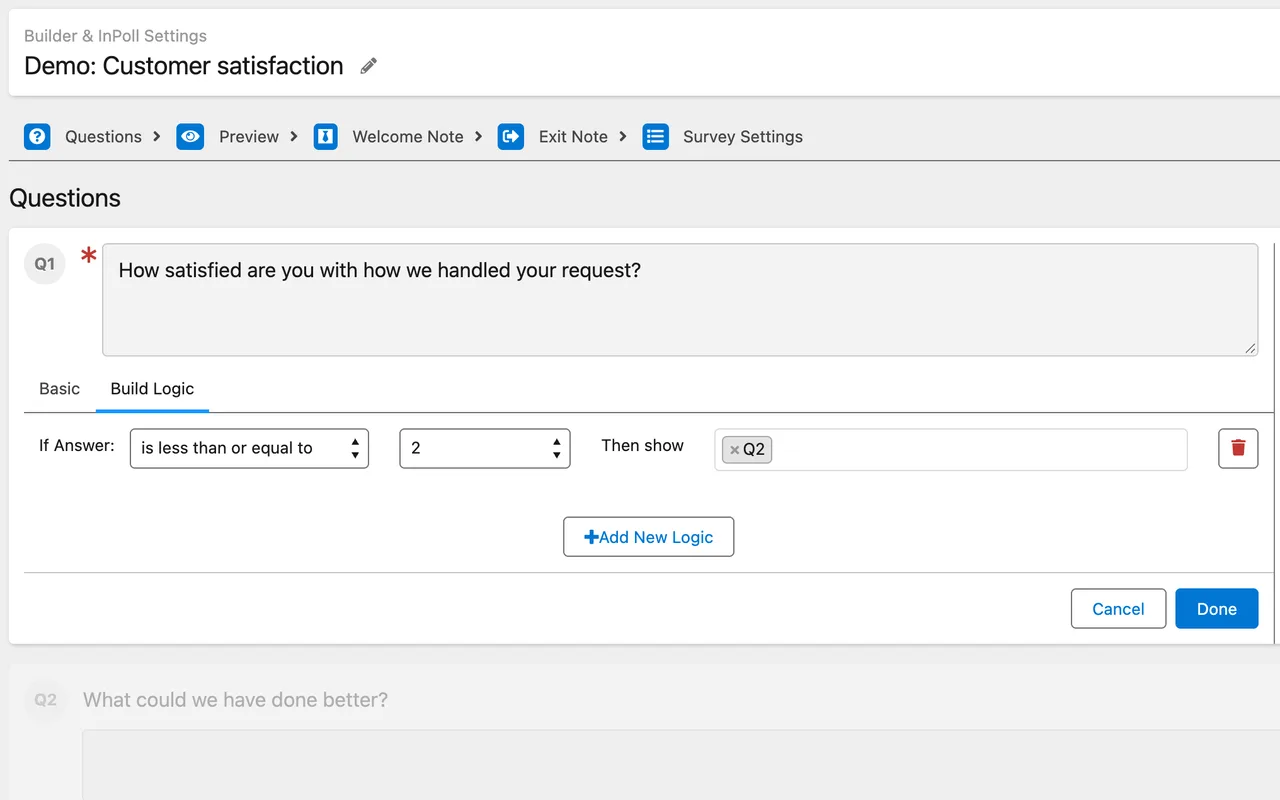
Show or skip questions based on earlier answers and make questions required, so each respondent sees the right survey and gives the right kind of answer.
Apply custom themes, logos and branding so your surveys look like they come from your company.
Clone a survey, with its questions and logic, instead of starting from scratch.
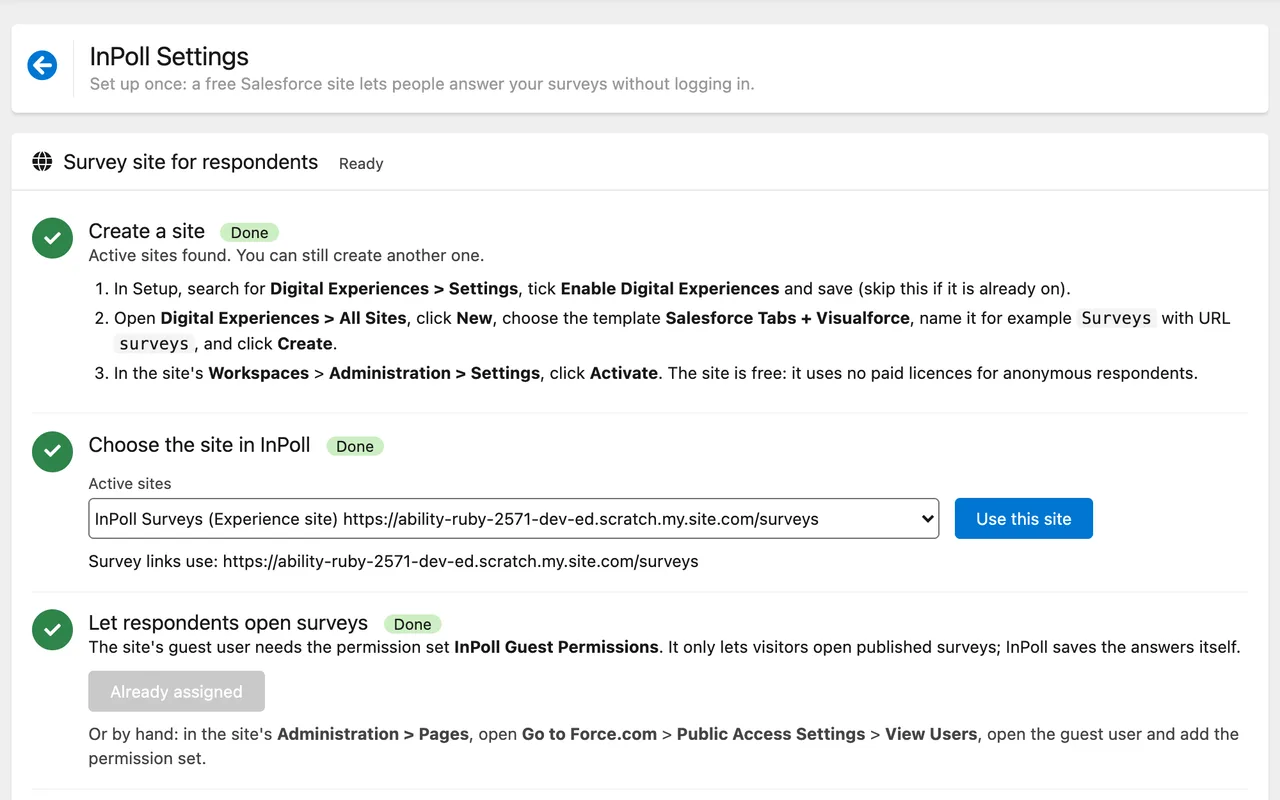
InPoll Settings guides an admin through survey-site selection, guest access and a survey-link check. Confirm that your Salesforce org supports the site, and review permissions before sharing a published survey.
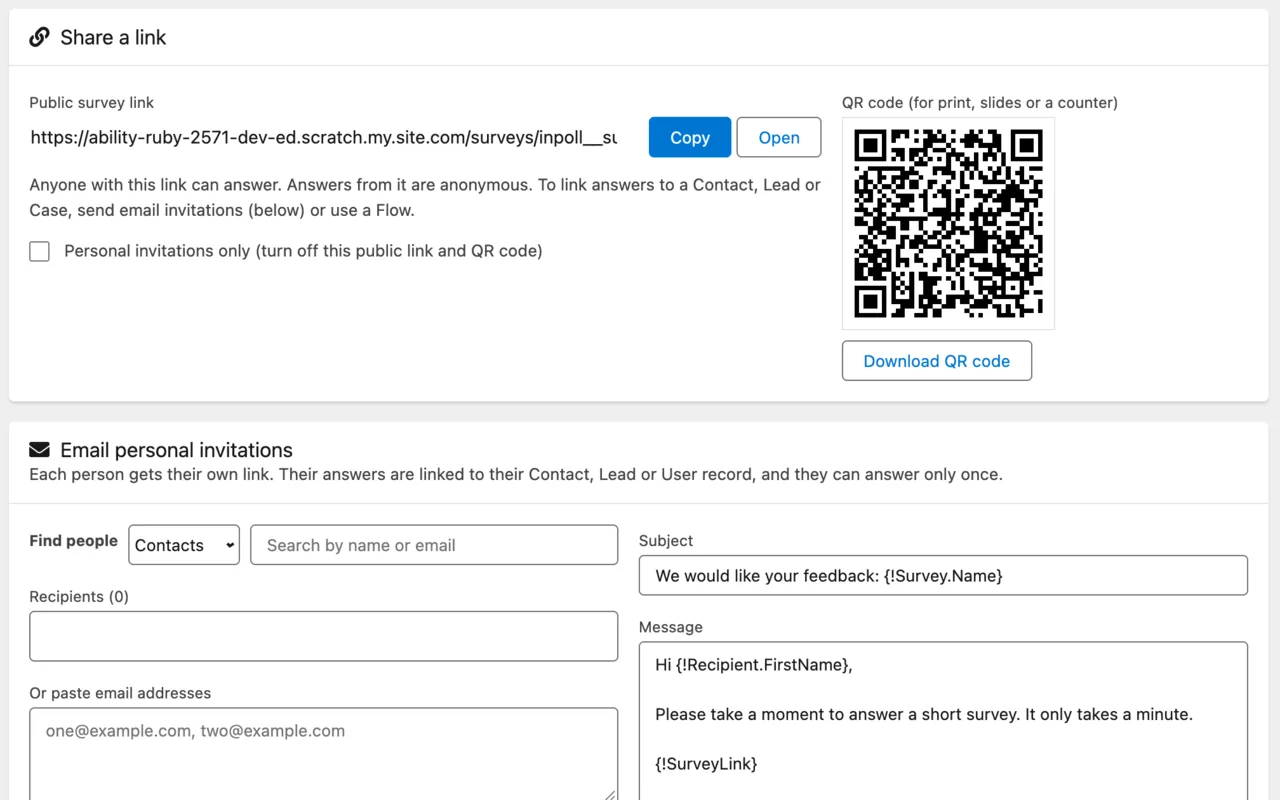
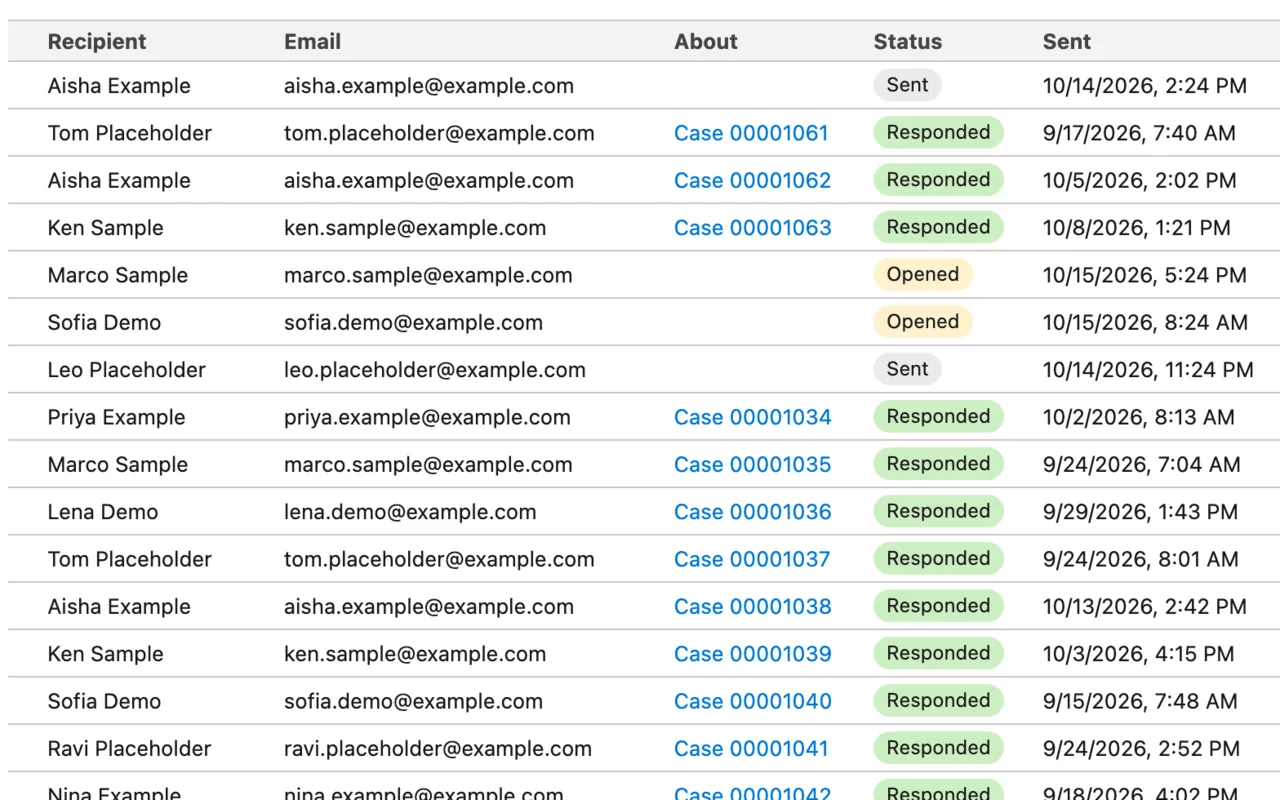
Share a public link or a QR code, or email personal invitations to Contacts, Leads and Users and see who opened the survey and who answered.
Add the Send InPoll Survey action to a Flow. For Case feedback, copy and configure the packaged draft Flow, then activate your copy. Publish the survey and configure the survey site, recipients and email permissions first. Default repeat requests reuse the invitation; deliberate resends are explicit.
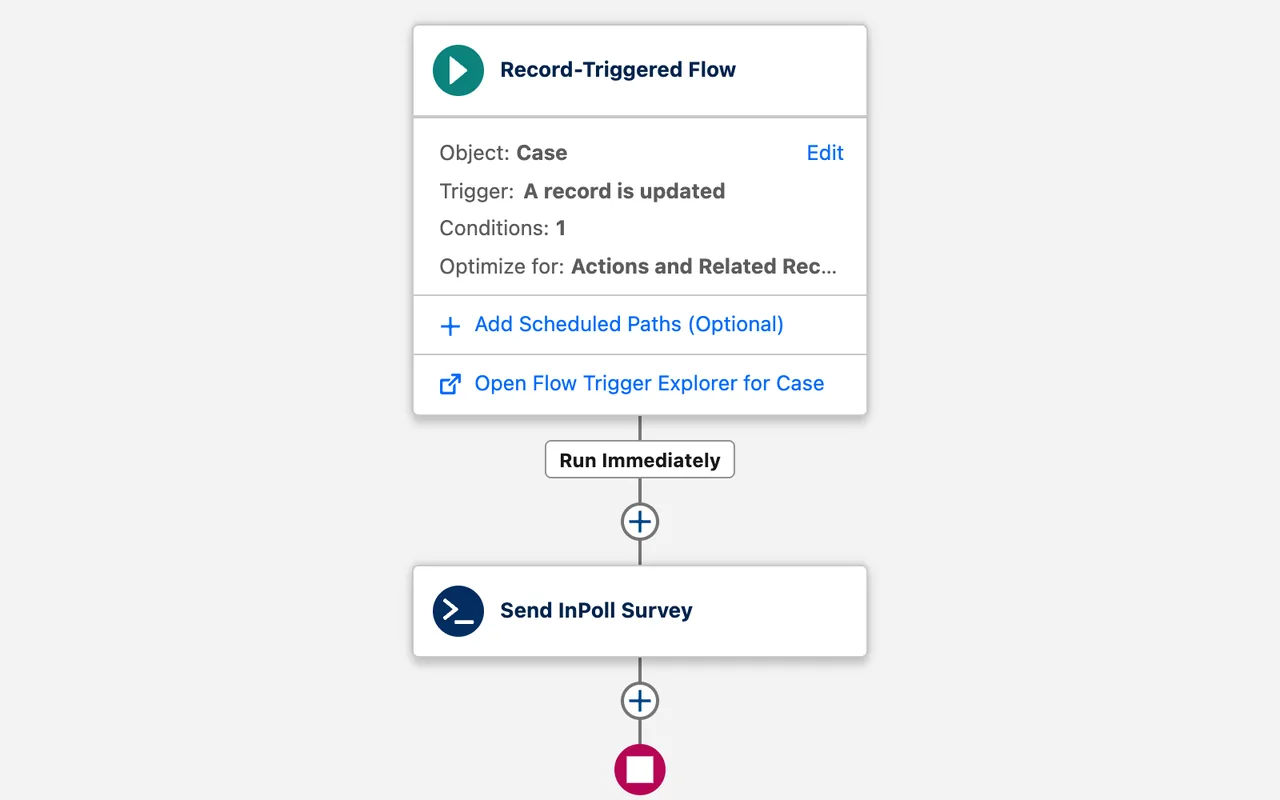
Set start and end dates and let InPoll open and close the survey for you.
Surveys with a supported rating question store the relevant CSAT or NPS score. Ready-made Salesforce reports cover CSAT, NPS, Case survey responses and invitation response rate. Running and customizing reports requires the appropriate Salesforce permissions.
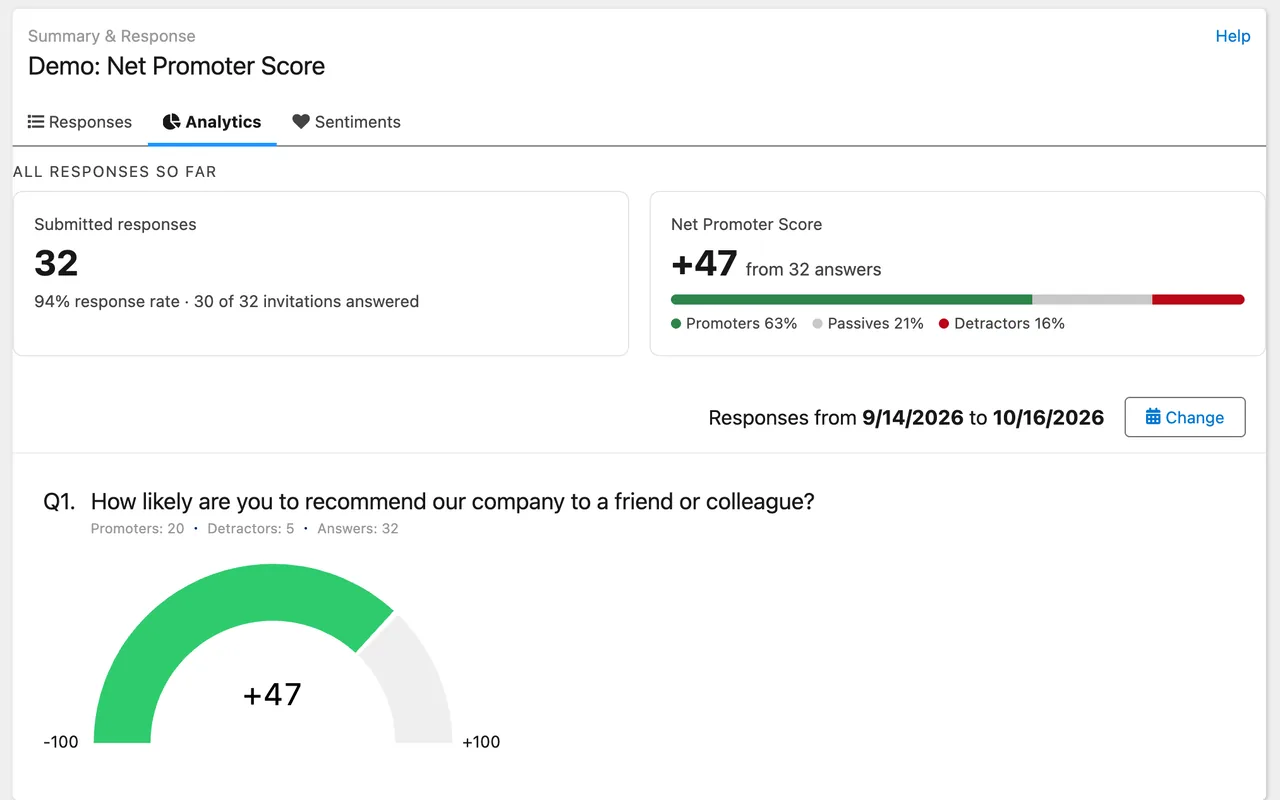
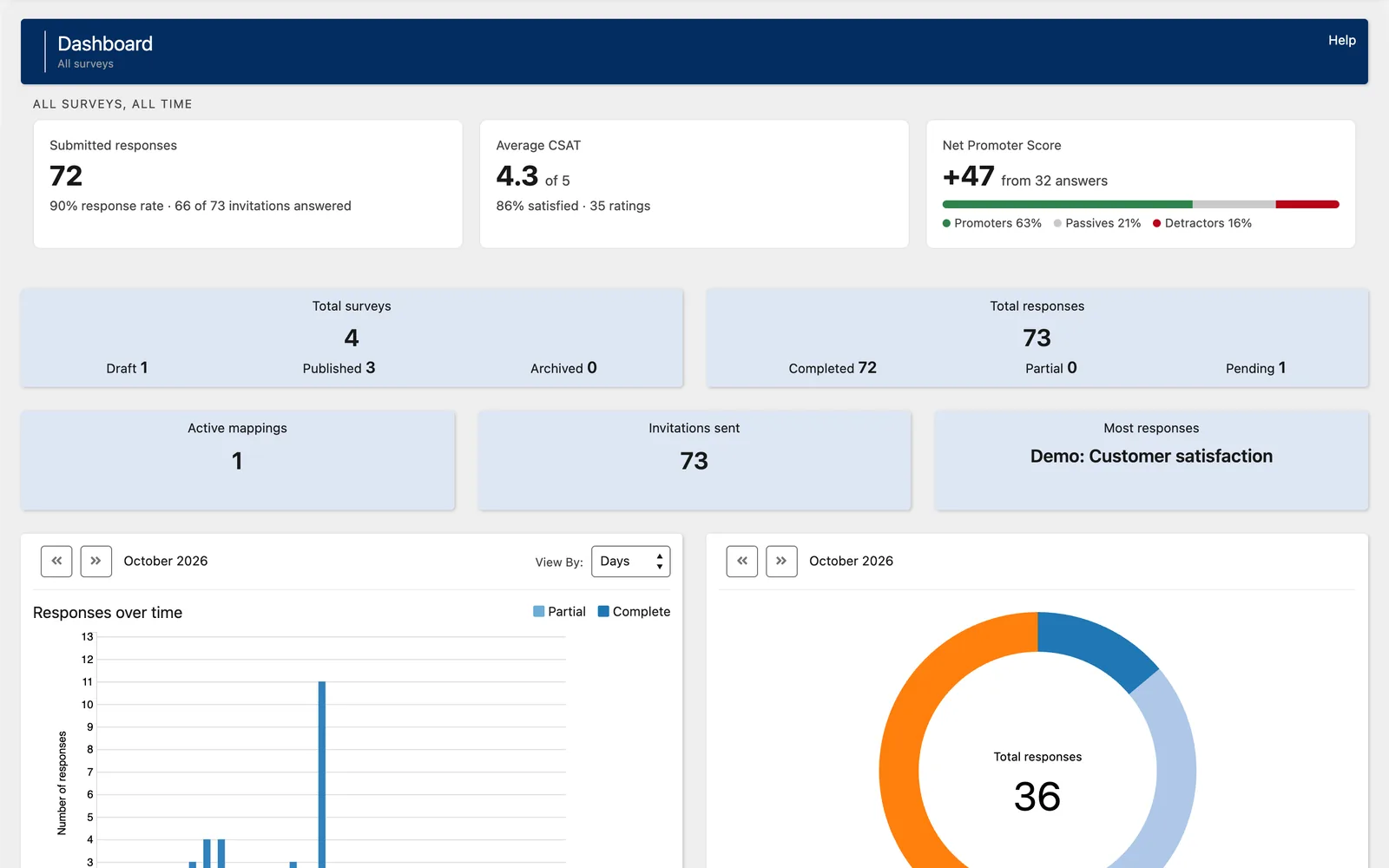
Open a survey or the dashboard and see submitted responses, response rate, average CSAT with the percentage satisfied, and NPS with its promoter, passive and detractor split.
Personal invitations can link an answer to its Contact, Lead, Case and Account when those records are supplied or resolved. Each personal link accepts one response. Public-link answers are anonymous and do not automatically identify a customer.
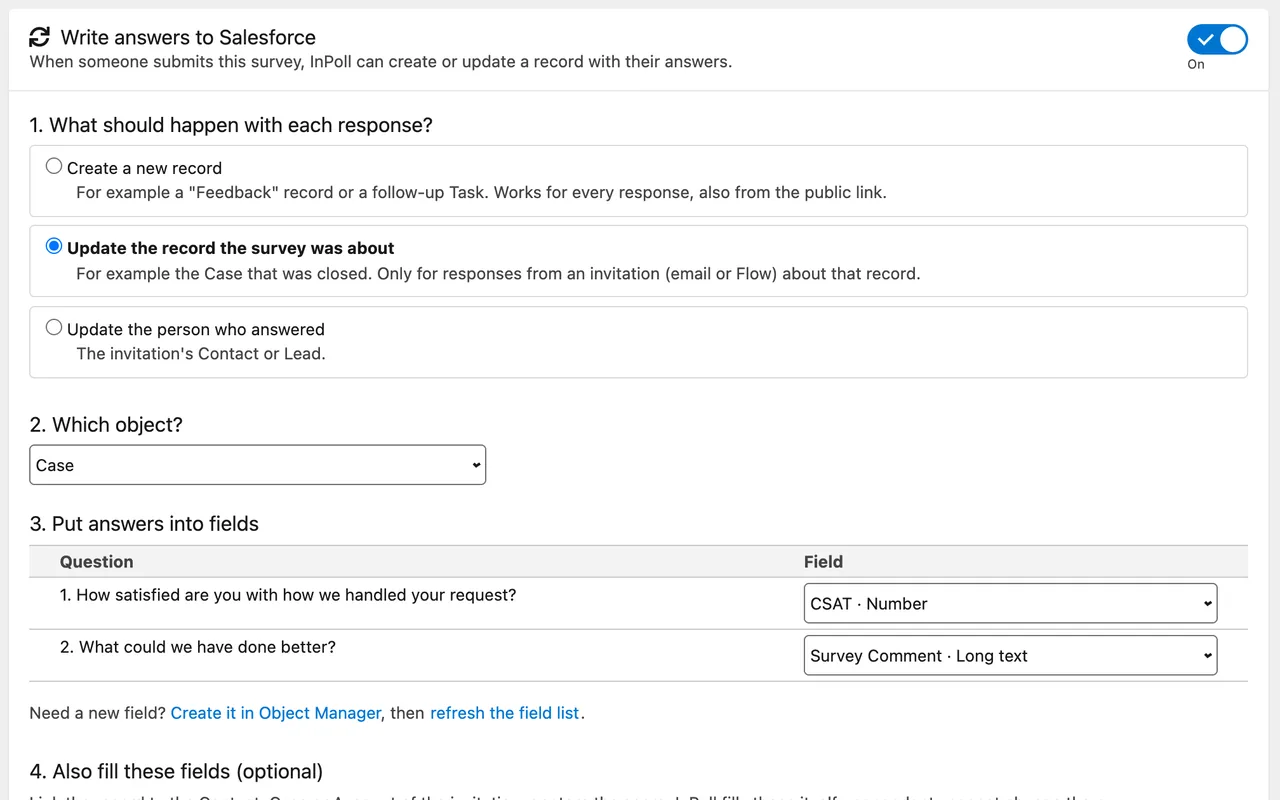
Configure response mapping to create a record or update a supported related record. Updating a respondent is limited to invited Contacts and Leads. Public-link answers can create records; they cannot choose an existing record to update. Mapping, field access and supported field types apply.
Moving from another survey tool? Switching from GetFeedback Direct.
Install InPoll free in your Salesforce org, or request a demo and we will show you around.