
Use this guide to copy a survey, with its questions and logic, into a new draft survey. For survey creators.
Cloning copies a survey with all its questions and advanced features, such as logic. Use it to build a similar survey or to reuse the same questions in another survey.
The copy is a new survey in Draft status. Its name is the original name with _Clone added at the end.
Clone a survey from the survey list
- Open InPoll and go to the Surveys tab.
- Find the survey you want to copy.
- On the right side of the survey, open the Show More menu (the down arrow).
- Select Clone.
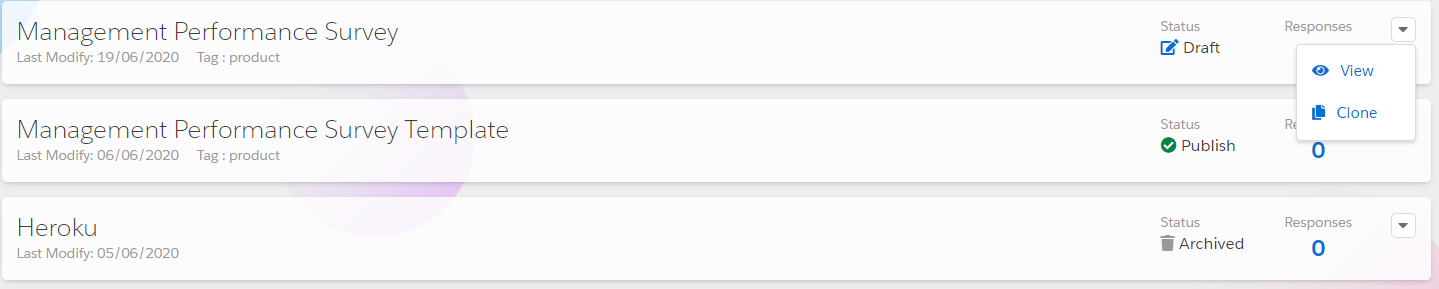
InPoll creates the copy and opens it in the survey builder.
Clone a survey from the survey builder
- Open InPoll and go to the Surveys tab.
- Select the survey you want to copy.
- In the panel on the left, click Clone Survey.
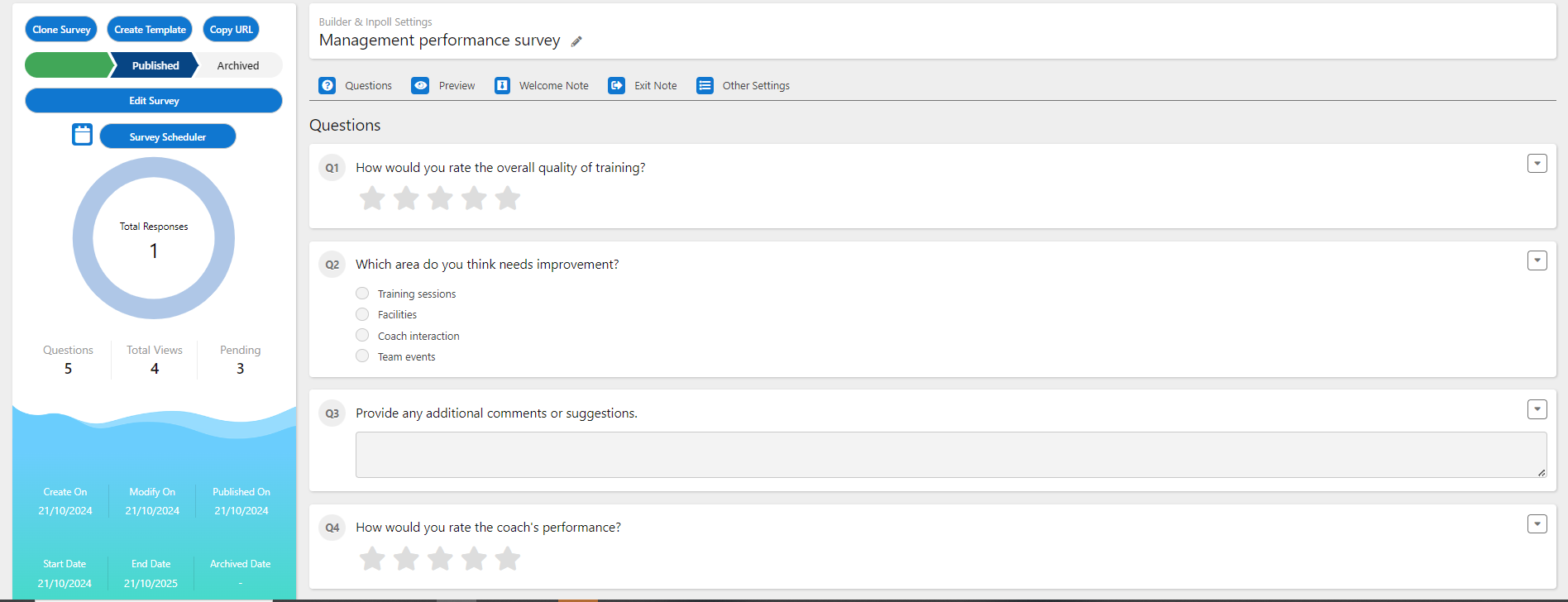
InPoll shows a success message and opens the copy.
After you clone
- Rename the copy if you want. Click the pencil icon next to the survey title.
- Edit the questions and settings of the copy as you need.
- Publish the copy when it is ready. See Publish a survey.
Good to know
- The Clone Survey button in the left panel needs at least one question. Without one, InPoll shows the message "Please create questions to clone it."
- To change a published survey, clone it, edit the copy and publish the copy.